> For the complete documentation index, see [llms.txt](https://guides.mangoapps.com/llms.txt). Markdown versions of documentation pages are available by appending `.md` to page URLs; this page is available as [Markdown](https://guides.mangoapps.com/admin-guide/branding/full-portal/text-styles.md).
# Text Styles
### Overview
In this section, you can customize various properties of the text style for your portal, including the heading style, font family, size, and other relevant attributes.
***
### Customization Options
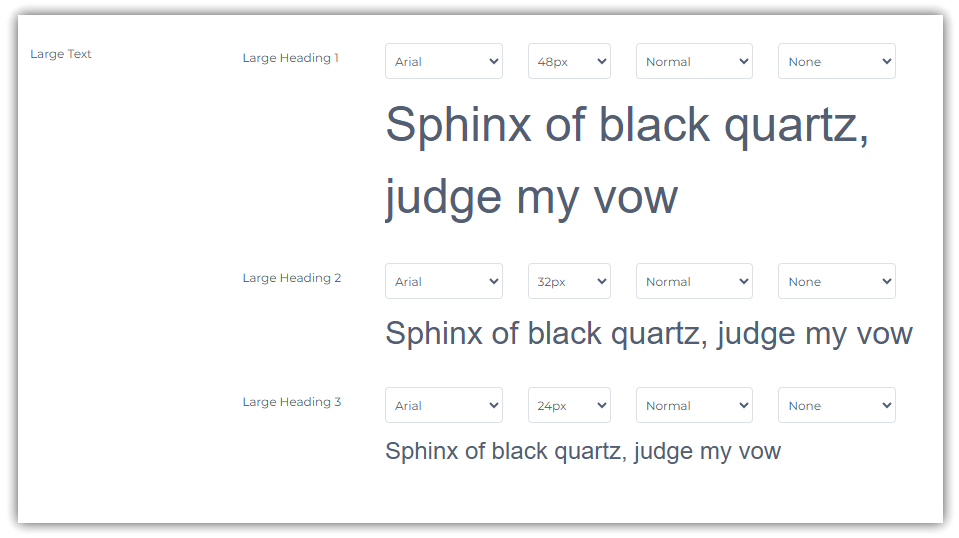
Each heading style can have the following customized via the 4 accompanying drop down menus:
* Font Style
* Font Size
* Typographical Emphasis (**Bold**, *Italics*, or Normal). A selection of "Normal" will allow the user to set their own typographical emphasis.
* Letter Case (uppercase, lowercase, or none). A selection of **None** will allow the user to use their own capitalization preferences.
***
### Large Text Options
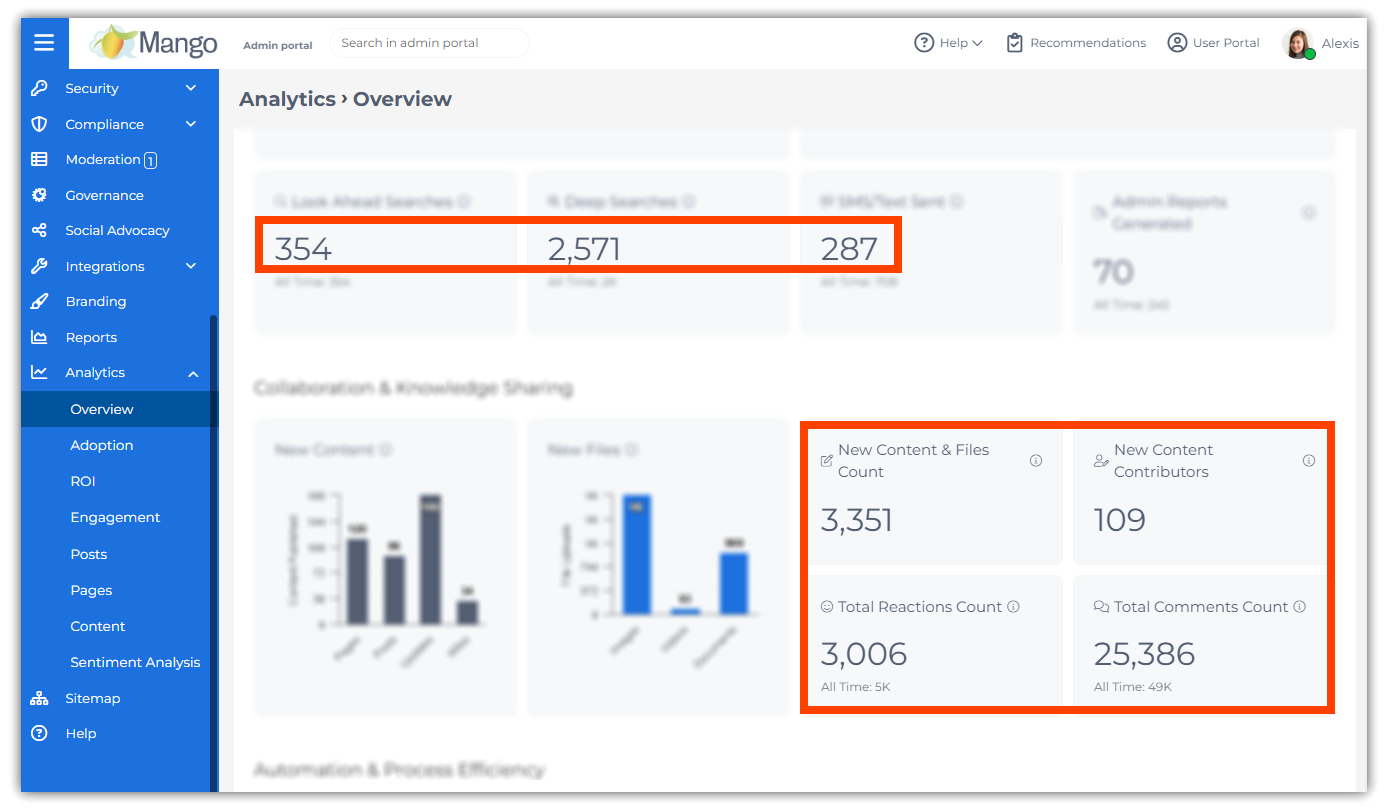
To improve **visual hierarchy and consistency** across the portal, MangoApps also features standardized **large heading sizes (Large H1, H2, and H3)**. These large headings are automatically applied in **analytics dashboards**.
**Customization**: Font style, weight, and case can be adjusted under **Admin Portal > Branding > Portal > Text Styles > Large Text**.
**CSS Support**: You can apply them in custom layouts or widgets using the following CSS classes:
* `.ma-large-h1`
* `.ma-large-h2`
* `.ma-large-h3`
***
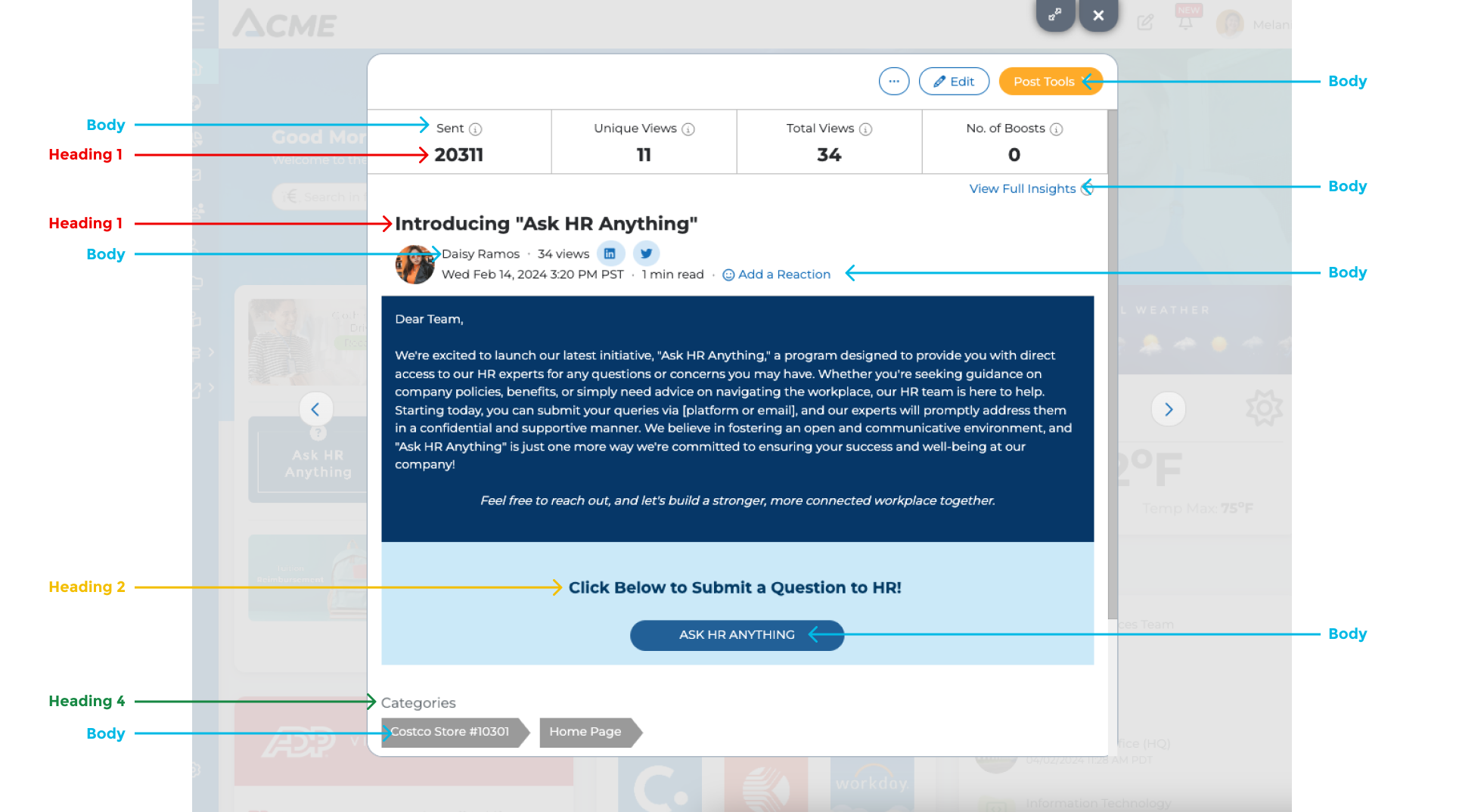
### **Text Style Implementation**
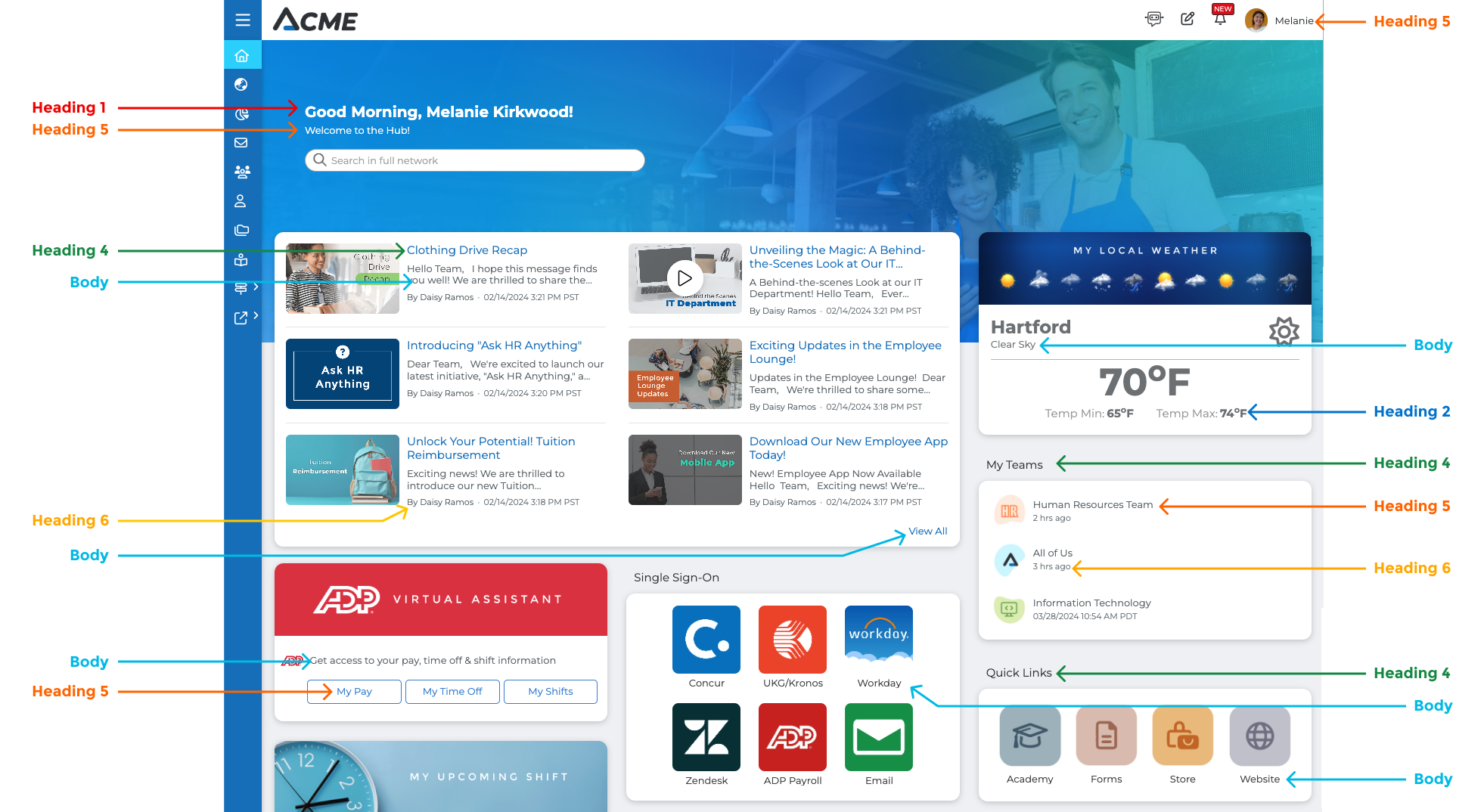
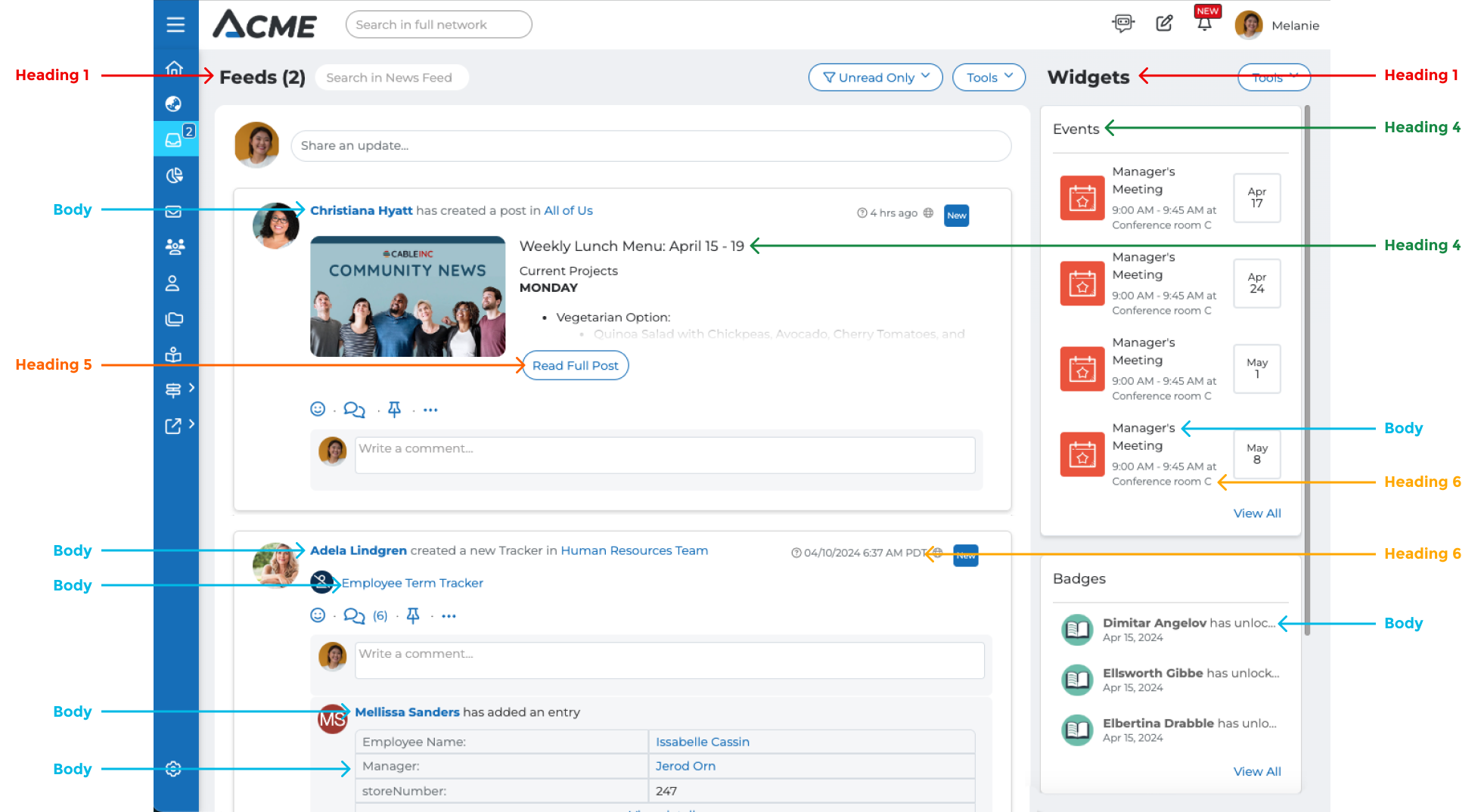
Below are a few examples of content locations affected by these text styles.
{% hint style="info" %}
The text in widget headers can be adjusted from the branding [widgets tab](https://guides.mangoapps.com/admin-guide/branding/widgets#background-text-color-label-style).
{% endhint %}
#### **Home Module**
***
#### Newsfeed
***
#### Posts