> For the complete documentation index, see [llms.txt](https://guides.mangoapps.com/llms.txt). Markdown versions of documentation pages are available by appending `.md` to page URLs; this page is available as [Markdown](https://guides.mangoapps.com/integrations-guide/shifts-and-schedules/integration-with-qgenda.md).
# Integration with QGenda
### Overview
The QGenda integration allows organizations to securely sync on-call schedules into MangoApps. Using built-in integrations, automated tracker imports, and enhanced date/time handling, admins can ensure real-time visibility of on-call assignments across teams and workflows.
***
### Prerequisites
Before setting up the QGenda integration, ensure:
* You have **Admin access** in MangoApps.
* Valid **QGenda credentials** (Auth URL, Email, and Password) are available.
* Trackers are created (or planned) to store on-call schedule data.
***
### Setting Up the Integration
MangoApps provides a native QGenda integration for secure authentication and centralized management.
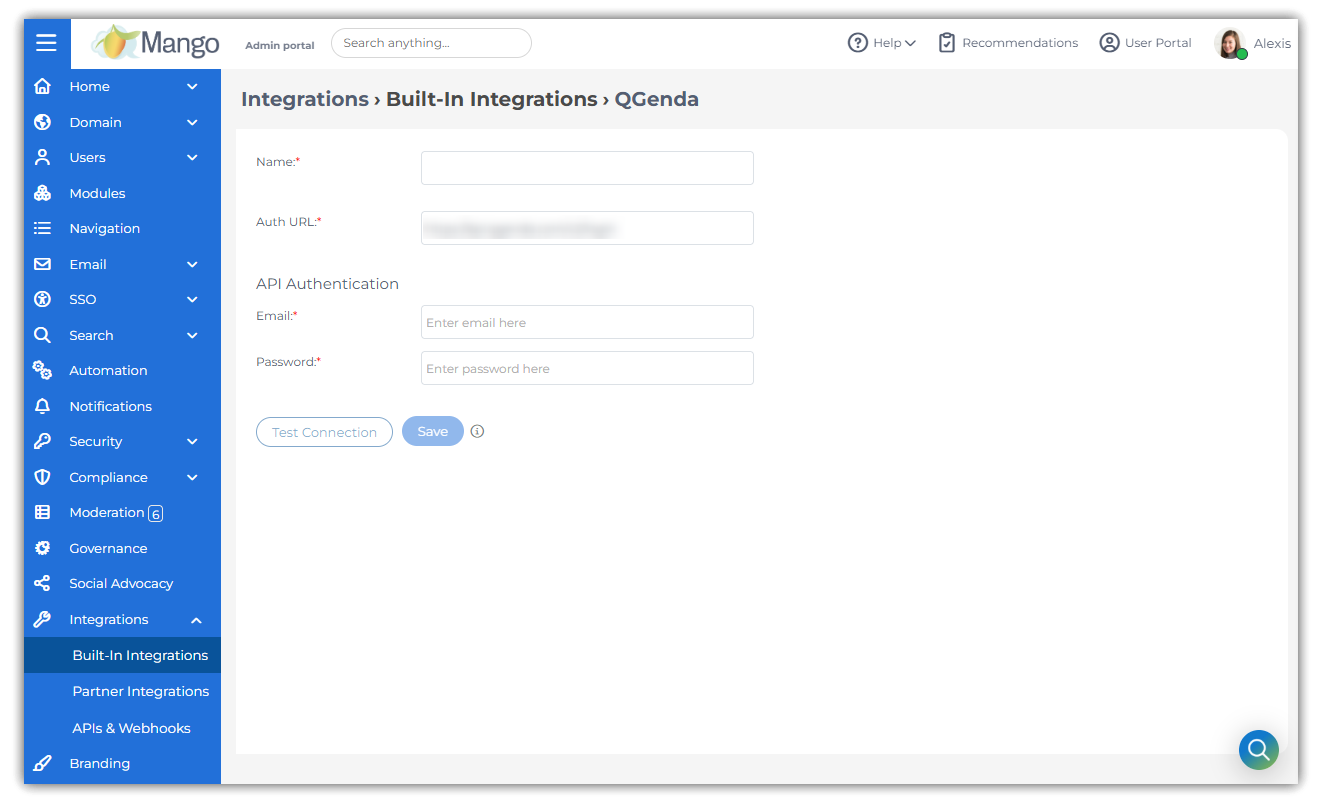
First, navigate to **Admin Portal → Integrations → Built-In Integrations** and locate **QGenda** under the **Workforce Management Apps** category.
Click the "Setup" button. On the next screen, enter the following details:
* **Auth URL**
* **Email**
* **Password**
Click **Test Connection** to validate credentials and make sure to save.
Credentials are **securely stored and masked**.
Integration settings can be **edited or deleted at any time**. Deletion is **blocked if the integration is in use by trackers**, protecting data integrity.
***
### Sync On-Call Schedules Using Tracker Data Importer
QGenda schedules are imported into MangoApps using the Tracker Data Importer with automated scheduling.
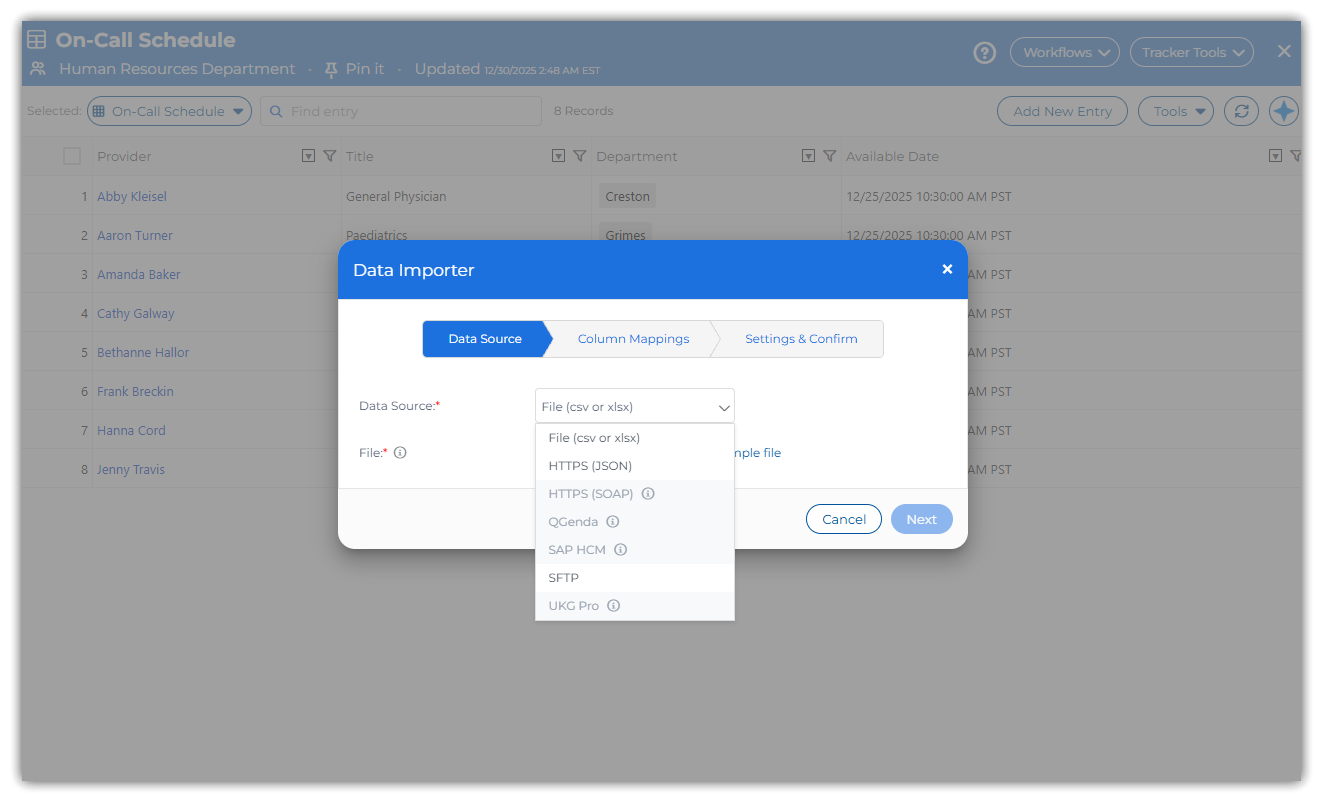
To get started open the target **Tracker** and navigate to the **Data Importer** settings.
Select **Source = QGenda** and configure the following options:
* **Service:** On-Call Schedule
* **Company Key:** Identifier used to scope schedule entries
* **Time Period:**
* This week
* This & next week
* This & next 2 weeks
Map **QGenda API fields to Tracker columns** and select the preferred **sync frequency**.
**Run logs** show rows added per sync and include masked request/response details for auditing.
{% hint style="info" %}
Multiple QGenda importers can be created using **different company keys**, supporting multiple schedules or departments.
{% endhint %}
***
### Best Practices
* Use **separate company keys** for different teams or departments.
* Set shorter sync intervals (e.g., every 4 hours) for high-traffic on-call schedules.
* Standardize tracker Date/Time columns to a single timezone for consistent reporting.