# Wiki Management

### Creating a New Wiki <a href="#creating-a-new-wiki" id="creating-a-new-wiki"></a>

You can create a blank wiki or use an out-of-the-box template to start. Each wiki **MUST** be created in a group.

<figure><img src="https://446697229-files.gitbook.io/~/files/v0/b/gitbook-x-prod.appspot.com/o/spaces%2FFqYB8ZVChDYqA2Ylb6vg%2Fuploads%2Frzm3u7VnQc3JYzG6saL4%2F13-09-2024-11-59-58.png?alt=media&#x26;token=77d40d51-243e-4c77-b760-1d40acc93c28" alt="" width="563"><figcaption></figcaption></figure>

To create a new wiki:

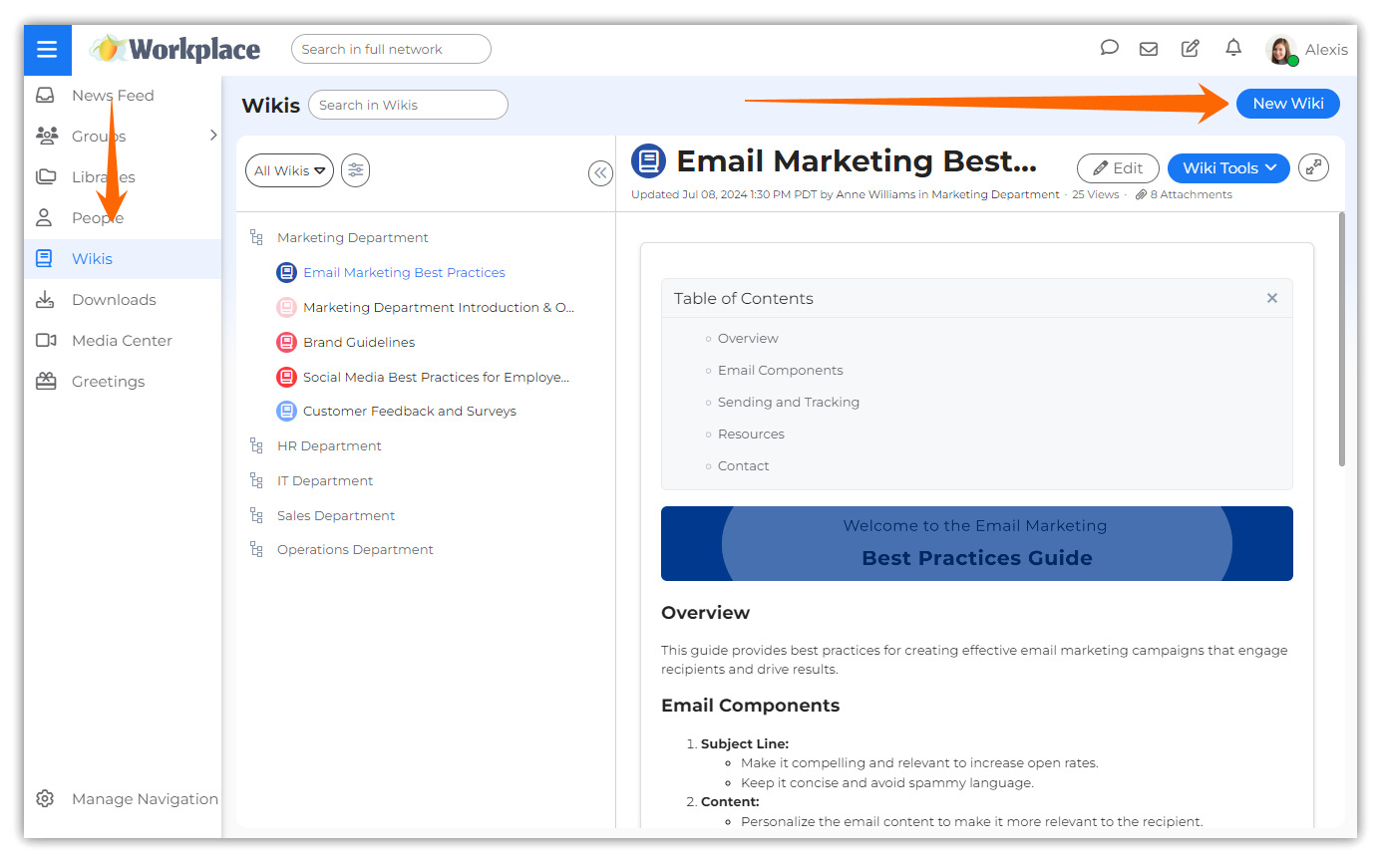
Click the **New Wiki** button in the Wikis page to open the **New Wiki** pop-up. Alternatively, in a team's page, click the **More** drop-down list in the News Feed tab and then click the **New Wiki** option. Another way to get started is to also click the **New Wiki** button in a team's page in the **Wikis** tab to open the **New Wiki** pop-up.

<figure><img src="https://446697229-files.gitbook.io/~/files/v0/b/gitbook-x-prod.appspot.com/o/spaces%2FFqYB8ZVChDYqA2Ylb6vg%2Fuploads%2F64cUwzohgW463hhiwSE7%2F13-09-2024-12-09-24.png?alt=media&#x26;token=efce6e1b-39ee-4210-b1e2-b8f9036595f0" alt="" width="563"><figcaption></figcaption></figure>

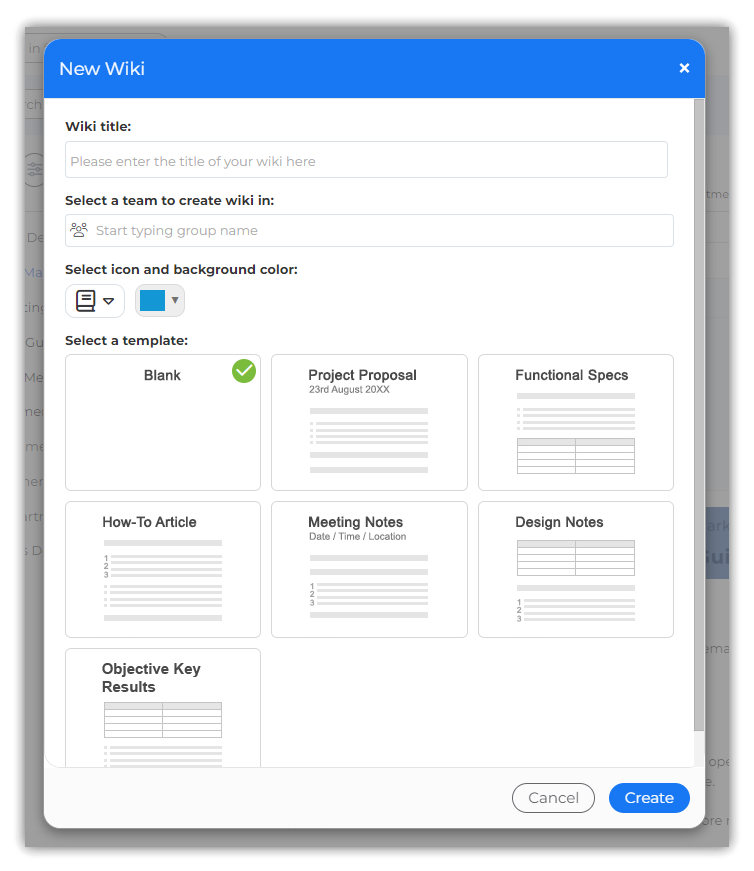
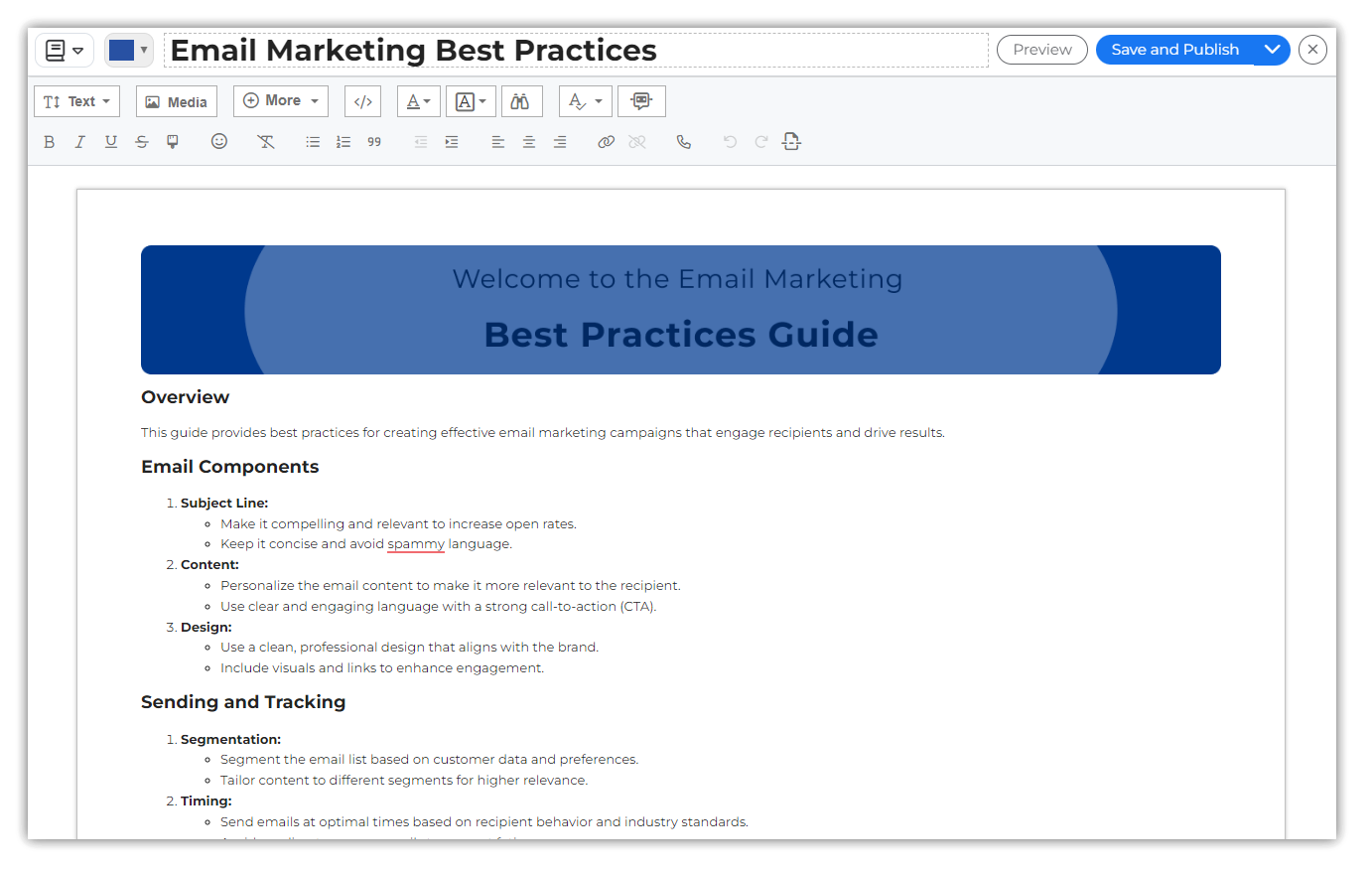
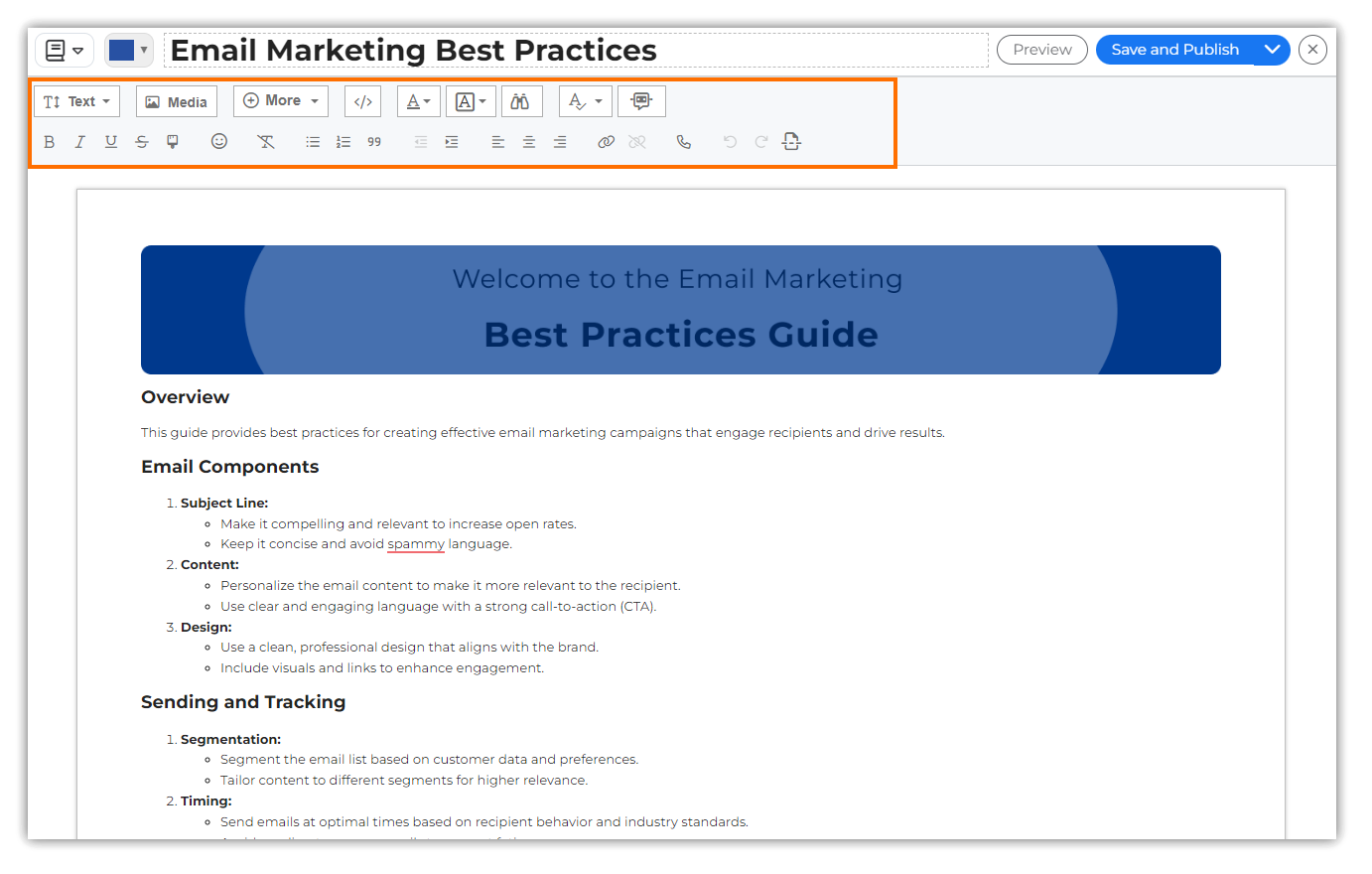
Provide a title for the wiki, select the team for which you want to create, select the preferred template, and edit the content of the wiki in the Wiki Editor.

<figure><img src="https://446697229-files.gitbook.io/~/files/v0/b/gitbook-x-prod.appspot.com/o/spaces%2FFqYB8ZVChDYqA2Ylb6vg%2Fuploads%2FPA8vbJAis9tvn1ZIqpLt%2F13-09-2024-12-11-54.png?alt=media&#x26;token=d42f1bb5-e21b-47f5-84f7-95cd704def84" alt="" width="563"><figcaption></figcaption></figure>

Click the **Save And Publish** button to save the changes to the content and publish the Wiki in the selected team.&#x20;

All members of the team will be notified when a new Wiki is published within their team.

{% hint style="warning" %}
Wiki titles in MangoApps are case-insensitive. For example, if you created a wiki as 'Assistants Logs', you cannot create another wiki as 'assistants Logs', or 'Assistants logs', since all 3 are treated the same.
{% endhint %}

***

### Editing a Wiki <a href="#editing-a-wiki" id="editing-a-wiki"></a>

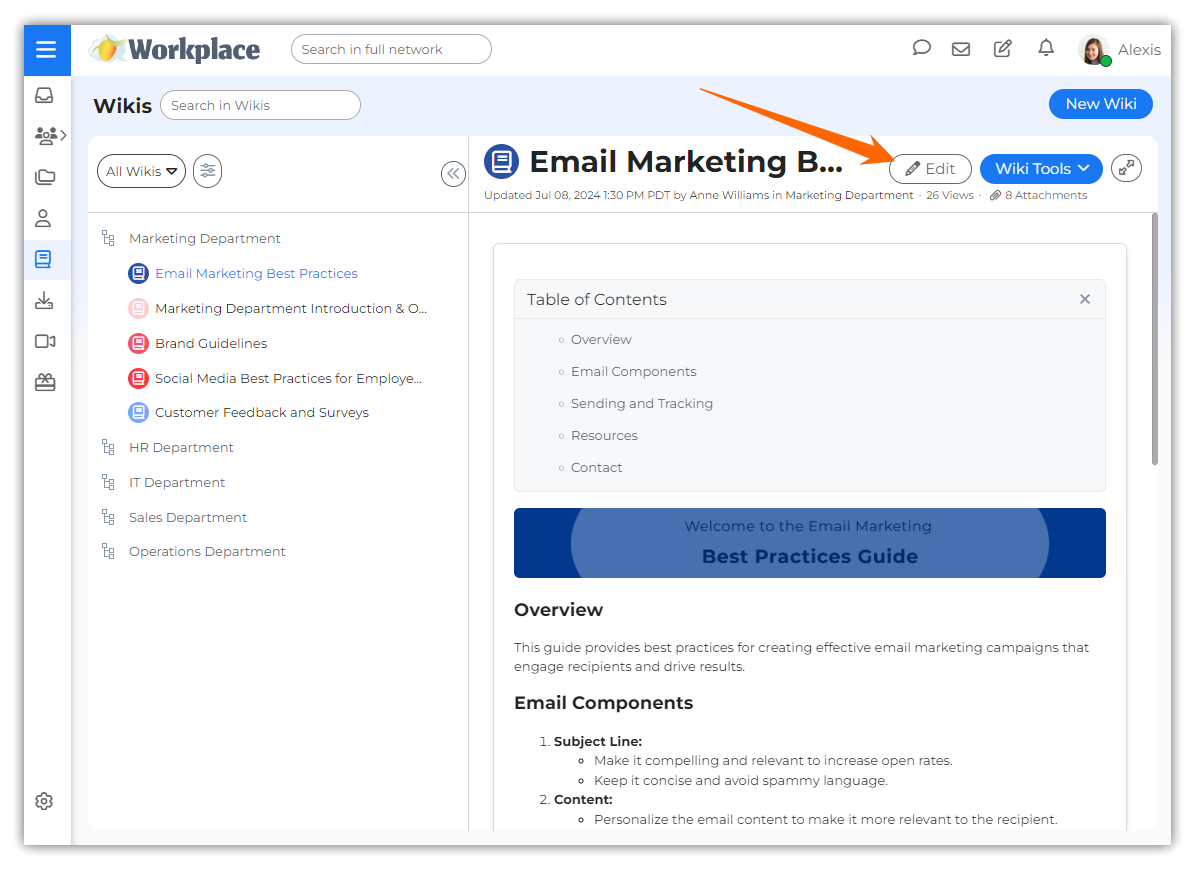
Click the **Edit** button for a wiki to open it in **Edit Mode**.&#x20;

<figure><img src="https://446697229-files.gitbook.io/~/files/v0/b/gitbook-x-prod.appspot.com/o/spaces%2FFqYB8ZVChDYqA2Ylb6vg%2Fuploads%2FQOpPTkVfYFzQnnorptAb%2Ffgawerger.png?alt=media&#x26;token=273886a5-3ab1-4123-8069-bea146030379" alt="" width="563"><figcaption></figcaption></figure>

Use the toolbar within the text editor to add/edit/style/delete content in the wiki.

<figure><img src="https://446697229-files.gitbook.io/~/files/v0/b/gitbook-x-prod.appspot.com/o/spaces%2FFqYB8ZVChDYqA2Ylb6vg%2Fuploads%2FzdGpAhSSrUTP88PeObQx%2F13-09-2024-12-11-54a.png?alt=media&#x26;token=6498c289-2c8a-4d22-920a-577f7c0923ef" alt="" width="563"><figcaption></figcaption></figure>

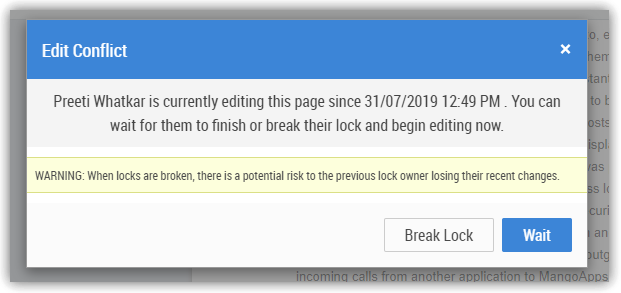
Wikis are intended to be collaborative. Team members can edit the wiki created and published by you. MangoApps Wikis employ **page-locking**, so that only one person may edit a page at a time. If more than one person attempts to edit a page that is already being edited, they receive an alert message similar to:

<figure><img src="https://446697229-files.gitbook.io/~/files/v0/b/gitbook-x-prod.appspot.com/o/spaces%2FFqYB8ZVChDYqA2Ylb6vg%2Fuploads%2FwRnisoZ4X3fyqjQhlo4I%2Fa.png?alt=media&#x26;token=ac15d9e0-270b-41bb-bb1c-933191b448f3" alt="" width="466"><figcaption></figcaption></figure>

When locks are broken, there is a potential risk to the previous lock owner of losing their recent changes. Breaking locks is **not** recommended.