> For the complete documentation index, see [llms.txt](https://guides.mangoapps.com/llms.txt). Markdown versions of documentation pages are available by appending `.md` to page URLs; this page is available as [Markdown](https://guides.mangoapps.com/admin-guide/analytics/module-insights.md).
# Module Insights
### Overview
Module Insights in Analytics provides administrators with clear visibility into how employees engage with core platform modules. By tracking visits across all navigation paths, teams, and platforms, Module Insights helps identify which modules deliver the most value and where optimization opportunities exist to improve the employee experience.
This insight is especially useful for understanding adoption patterns, validating enablement strategies, and aligning module configuration with how employees actually interact with the platform.
***
### How Module Visits Are Tracked
A module visit is recorded whenever a user lands on a module’s landing or listing page. Visits are counted consistently regardless of how the user accessed the module. This includes navigation from the main menu, team or group navigation, direct or deep links, and links embedded within other content such as posts, pages, messages, or widgets.
Each time a user reaches a module page, the visit is counted toward the module’s total views. This applies equally to global modules and modules accessed within the context of teams, departments, groups, or projects. The tracking logic focuses on actual page landings, ensuring engagement metrics reflect real usage rather than navigation intent.
***
### Most Visited Modules
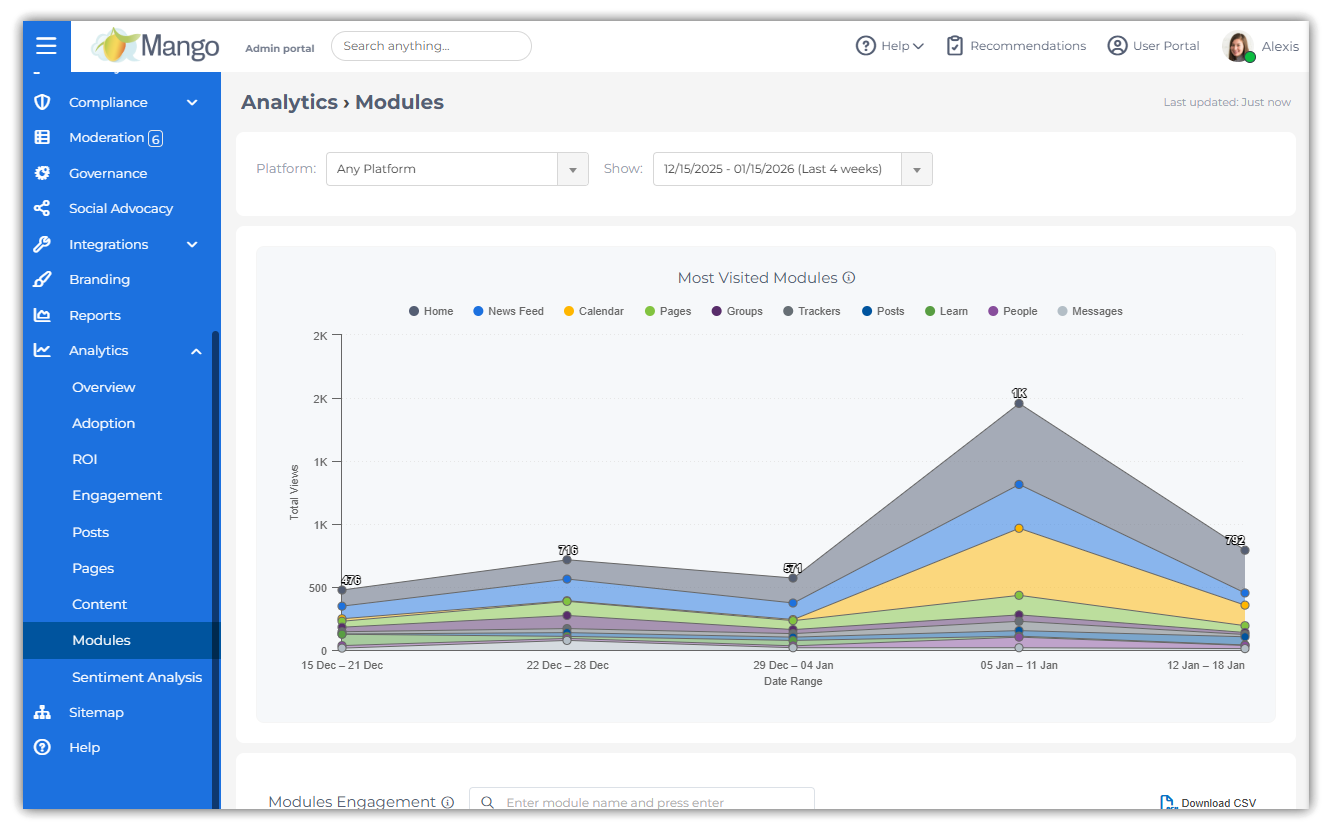
The Most Visited Modules view highlights the top modules based on total visit volume within a selected time range. This view surfaces the most frequently accessed modules across the entire organization and can also reflect engagement patterns within teams.
By visualizing visit trends over time, administrators can quickly identify which modules drive the highest engagement, observe usage spikes, and compare relative module performance. This helps validate adoption efforts and prioritize enhancements or promotion of underutilized modules.
***
### Module Engagement
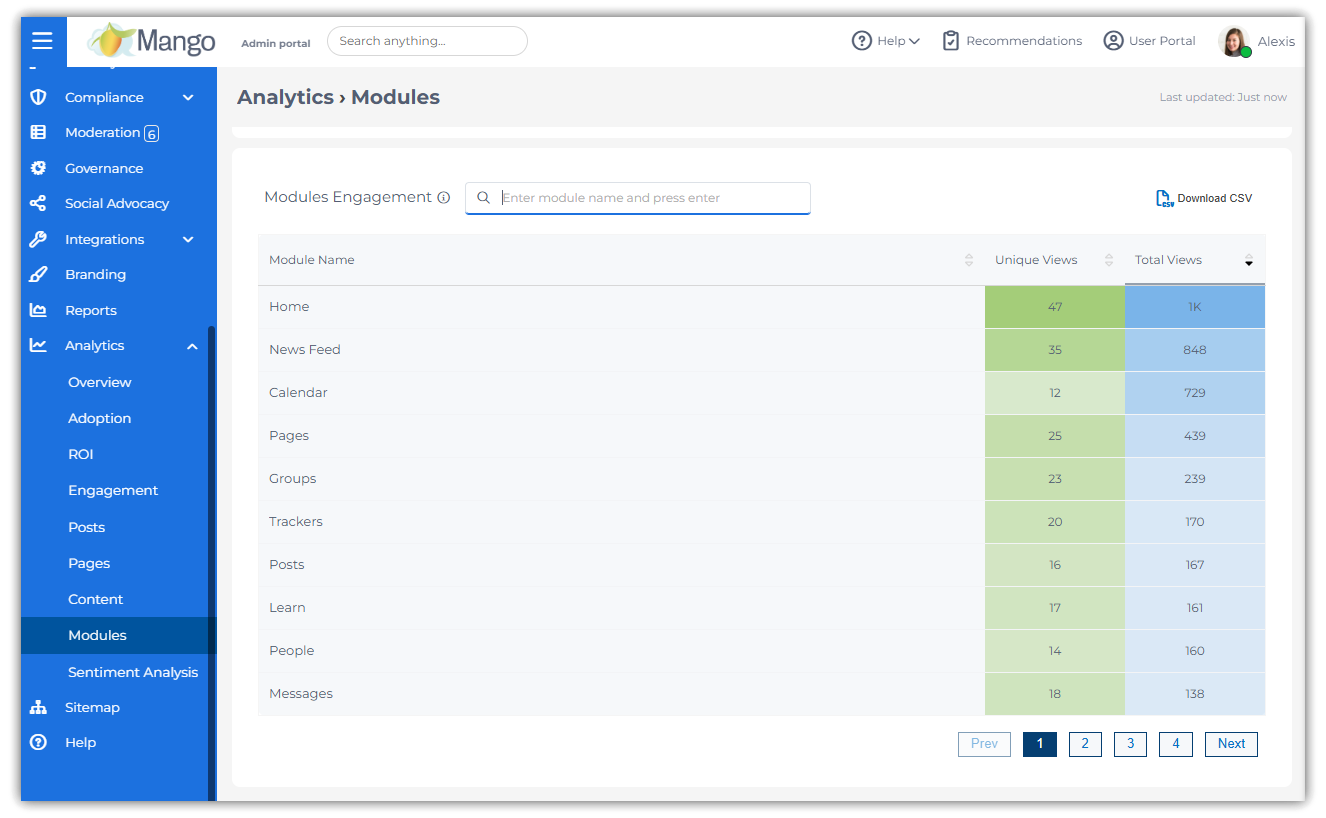
The Module Engagement view provides a detailed breakdown of module usage across the domain. For each enabled module, the report displays both total visits and unique visits, offering insight into overall activity volume as well as the breadth of user participation.
Visits captured in this view include all valid entry points, such as main navigation, team navigation, and direct or embedded links. Any instance where a user lands on a module page contributes to the engagement metrics, ensuring comprehensive and consistent reporting.
***
### Platform-Based Insights
Module engagement can be segmented by platform to understand how users access modules across Web and Mobile experiences. Filtering by platform allows administrators to compare usage patterns and identify modules that are predominantly accessed on desktop or mobile devices.
This visibility supports more informed decisions around mobile optimization, navigation placement, and experience design based on how employees engage with modules in different contexts.
***
### Exporting Module Insights
Module Engagement data can be downloaded as a CSV file for offline analysis and sharing. The export includes both total and unique visit counts for each module, matching what is displayed in the analytics interface.
CSV exports support deeper analysis, historical comparison, and integration with external reporting or dashboarding tools, making Module Insights a practical input for adoption tracking and executive reporting.